Claude Code + Codex private beta

AgentWatch

When your agent needs you, you don't have to be at your desk.

Watch your Claude Code and Codex sessions from iPhone and Apple Watch. One tap to approve, one line to send the next prompt. Done from your wrist.

macOS beta first. iPhone and Apple Watch pair automatically with the same account.
Live session loop Permission sync + mobile prompts 00:09
01 MacBook
~/projects/agentWatch
Claude Code main
$ claude --continue running tests and release checks... mobile prompt: run release audit
Permission request
Bash: git push origin review/prelaunch
waiting for AgentWatch decision... allow received from Watch - continuing
18%2h3m 21%2h7m
agentWatch3 running
running7m 14sClaude
main  3d78f439
> permission prompt detected.
● 37.1K ctx·● 1 out· Opus 4.6
running25m 17sCodex
main  3d78f439
> every screen switches when a request arrives...
● 206.6K ctx·● 83 out· gpt-5.5
permission0s
⌁ agentWatch-wt1
Claude
> Claude is waiting for a shell decision.
▲ Bash
git push origin review/prelaunch
YesNo
approvednow
Watch decision synced
Claude
allow received from Watch - TUI resumes
3 sessions
02 iPhone
2:035G 67
AgentWatchagentWatch-wt1
Codex
gpt-5.5
Rangit status --short --branch
Exploredpermission approval flow

Mobile prompt is mirrored into the active TUI, then the session state comes back to the phone.

Sentrun release audit
Edited3 files changed
Rangit diff --check
Exploredremote permission path
Bash
After merge, fetch latest remote main?
YesNo
ApprovedWatch
SyncediPhone → Mac

The permission decision is written back to the waiting TUI.

Resumedrelease checks
Send a prompt...
03 Watch
2:04
AgentWatch
▣ agentWatch
running0sCodex
⌁ agentWatch-wt1
release checks are running
2:04
AgentWatch
▣ agentWatch
permissionClaude
⌁ review/prelaunch
Bash
git push origin review/pre...
YesNo
2:04
Approved
▣ agentWatch
syncednowWatch
⌁ review/prelaunch
Yes sent to iPhone, Mac, and the waiting TUI.
01TUI blocksA permission request stops Claude in the terminal.
02Mac detectsThe macOS Dynamic Island shows the same session.
03Phone mirrorsApprove, deny, or send the next prompt from iPhone.
04Watch approvesTap Yes on Watch and the decision travels back.
05TUI resumesClaude and Codex keep moving in the terminal.
Desktop Island states

Sized for the moment.

Quiet next to the notch. Expands when a decision is yours to make.

32%1h5m 31%1h8m ×
agentWatch3 running
running15sCodex
⌁ agentWatch-wt3
> Approval from mobile and Watch moved the session back to running...
Applied the fix. The root cause was a stale permission path.
running13h 59mCodex
⌁ agentWatch-wt1
> Start from a fresh branch after rebase and fetch
● 86.3K ctx (21.6%)·● 230 out· gpt-5.5
3 sessions
32% 31% ×
3 running
Bashremote branch cleanup...
3 sessions
×
ClaudeMax 20x
5h18%
↻ 2h3m
7d7%
↻ 6d10h
CodexPro
5h21%
↻ 2h7m
7d59%
↻ 3d22h
● Running 2◉ Done 0↻ Idle 0
📌agentWatch2 sessions
running8m 12saf25
⌁ agentWatch-wt1
Codex
Me: the TUI has more content, but mobile cannot see it. This is the TestFlight build, and mobile prompts are hitting terminal injection failed.
The first log search pulled too much mute noise from `conversation`. Narrowing to `terminal injection`, `remote command`, `turn-parse`, and the session prefix.
● 212.1K ctx (53.0%)·● 457 out· gpt-5.5
done<1m 574a
main
Codex
Me: use the real Codex and Claude icons. Reference https://github.com/xandemon/developer-icons.
Done. The temporary Claude/Codex SVG symbols were removed, and the page now points to the actual icon files used by the app.
● 161.7K ctx (40.4%)·● 136 out· gpt-5.5
ops-playground6 sessions
Use cases

One line. From anywhere.

Approve from Watch. Send the next prompt from your phone. The desk keeps the flow visible.

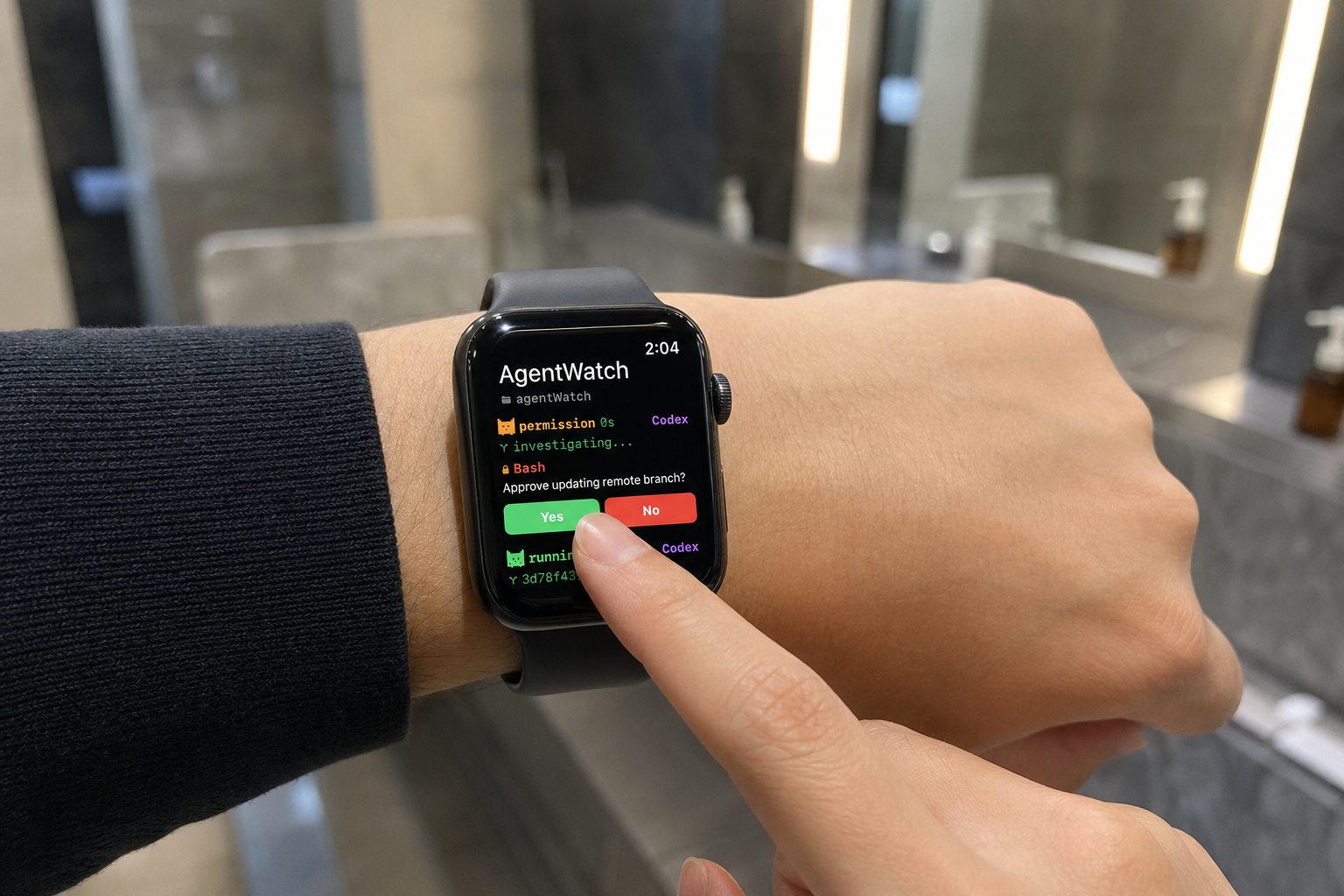
Approving an AgentWatch permission request on Apple Watch
Watch approval

One tap from your wrist while the kettle boils.

Tap Yes on Watch — the same decision lands on iPhone, Mac, and the waiting terminal at once.
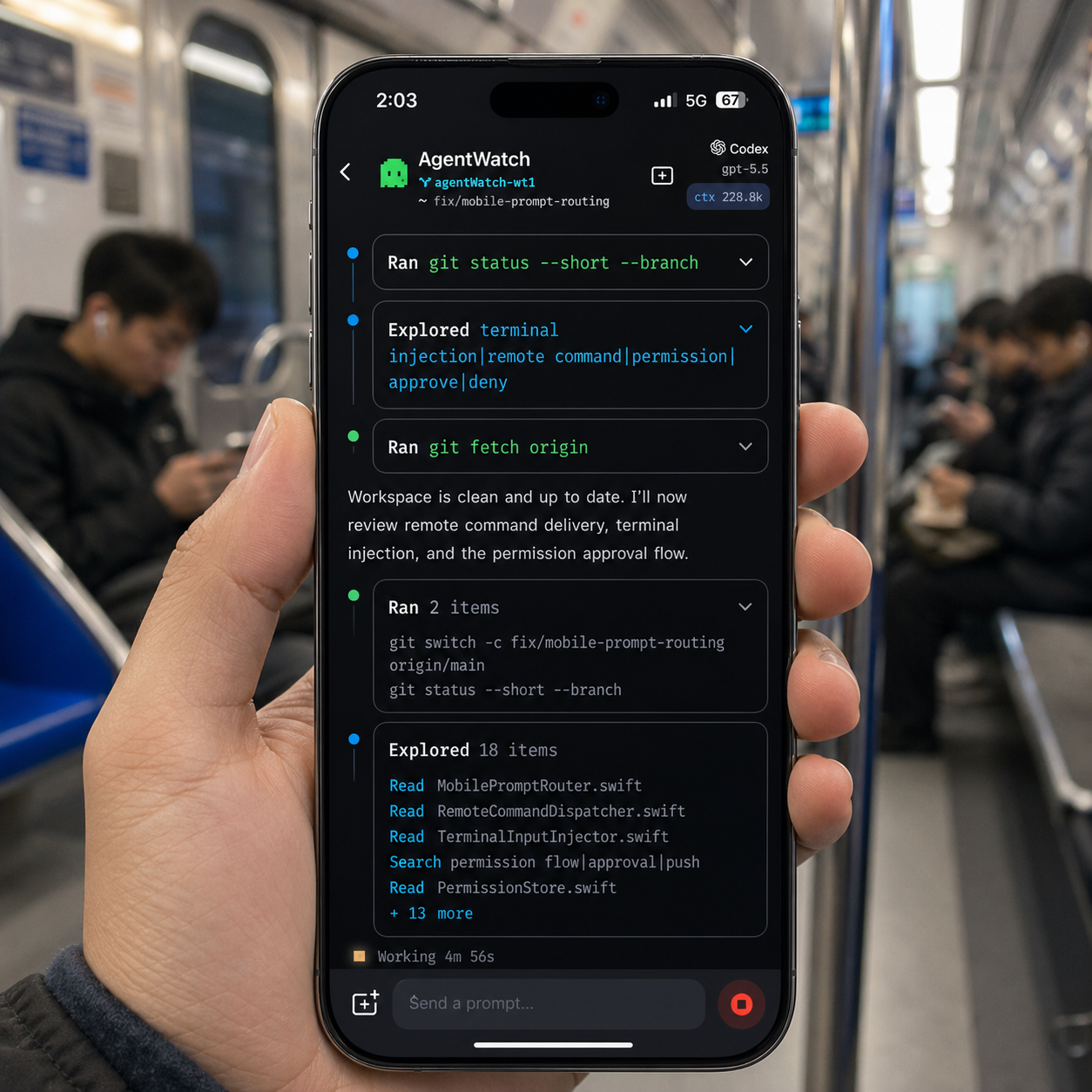
Sending a Claude or Codex prompt from the AgentWatch mobile app during a subway commute
Mobile prompt

One line on the subway. Result waiting when you arrive.

The prompt you sent from your phone runs in your Mac terminal. The result comes back to your phone — Claude and Codex both.
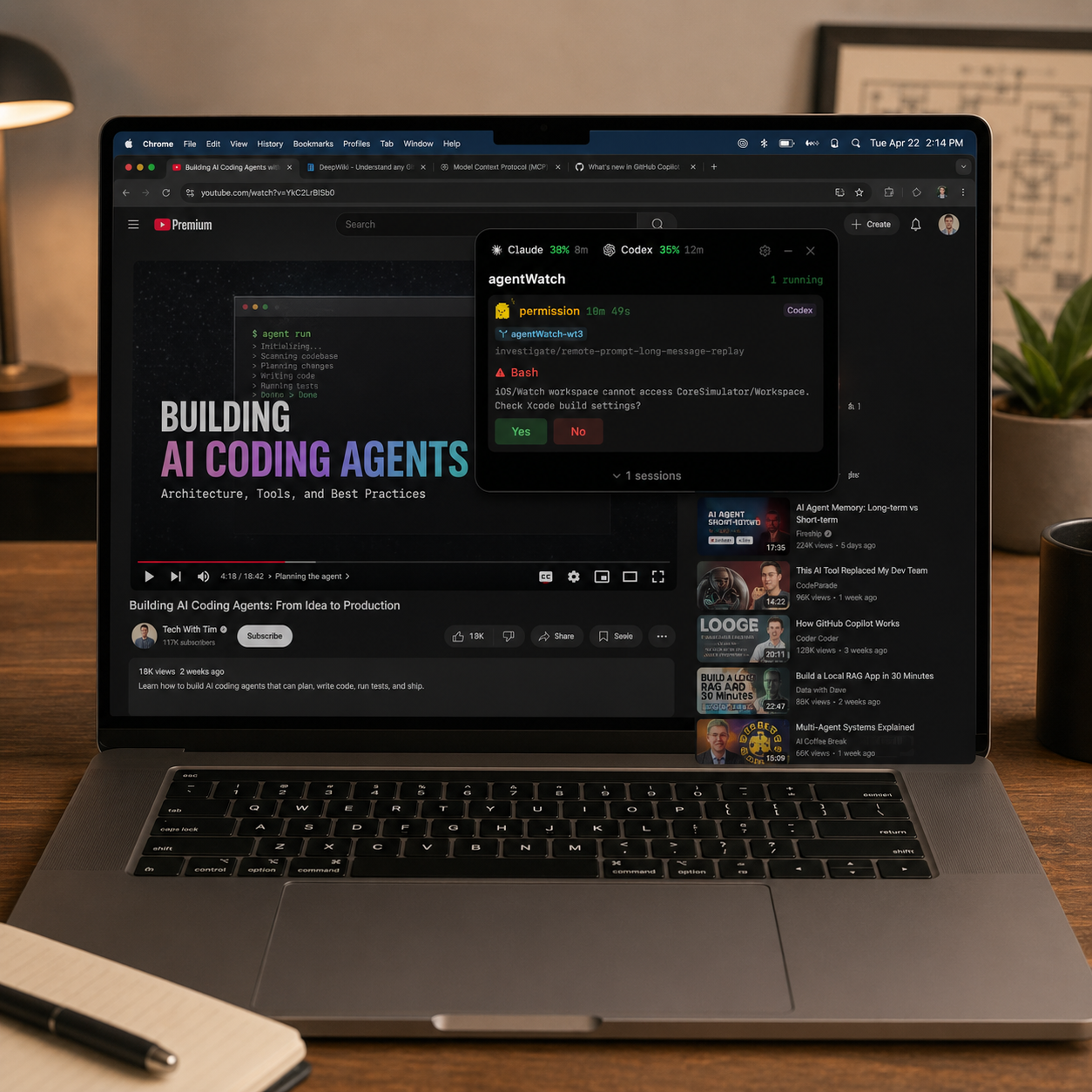
Watching YouTube on a MacBook while AgentWatch shows three sessions and one permission request
Desktop overlay

Three agents at the corner of your eye, while you watch YouTube.

Sessions stay small in the corner. Only the moment a decision matters rises above the rest.

Core workflow

Not a dashboard. Just flow.

The thinnest bridge between your terminal and your phone.

Live session feed

State, branch, model, tokens — everything about a Claude or Codex session, on one line.

Permission sync

Bash, Edit, Write — same decision, three screens.

Remote prompt

The line you typed on your phone lands inside the running terminal. Claude or Codex.

Quota signals

Claude and Codex usage right next to the session. You see the limit coming.

Tone and product truth

State first. Copy second.

Whether it's stuck, asking, or moving again — that's all you need.

running2m 17s
agentWatch - writing release checklist
Claude
permissionBash
git push origin review/prelaunch
Codex
No active agents0 running

The way AgentWatch talks

  • Specific. Not "AI productivity." Which terminal is stuck.
  • Local first. The Mac reads. Phone and Watch carry the decision.
  • Working signals. Quota, session, permission, prompt. One screen, one flow.
FAQ

Common questions.

Which agents are supported now?+
Claude Code and Codex are supported in the beta. State detection, permission approvals, and mobile prompts all work for active sessions.
Does tapping Yes on Watch unblock the terminal?+
Yes. The Yes from Watch travels through iPhone to your Mac, which drops the decision into the waiting session. One tap, then back to your day.
Can mobile prompts target both Claude and Codex?+
Yes — same flow for both. If a terminal is open, your prompt lands there. If not, a fresh session opens on its own.
Does my code or full conversation run on a server?+
No. Agents run on your Mac. Only state, approvals, and the prompts you send travel to your phone and Watch — your code and conversations never leave the Mac.
Private beta

Your agents are already working. Don't miss the moment they need you.